Upgrading existing password hashes
Still using MD5 or SHA-1 to store user passwords and want to gracefully migrate to e.g. bcrypt? Want to do it properly to protect all passwords in the database? Here's how.
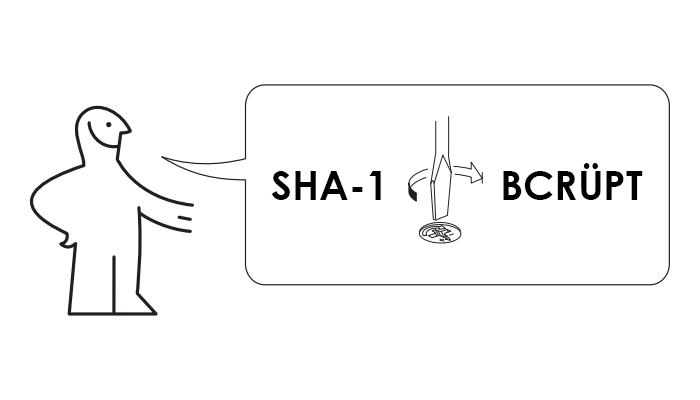
Hashing upgrade
- Reset passwords for all users so they have to create a new password which will be hashed with the new hash function. Not the best idea, users will be unhappy and bothered, and will ask legitimate questions why you haven't secured their passwords much earlier. You can reset passwords in an application used by a few hundred employees but not in a service with public sign-ups.
- You can “re-hash” the password after a successful login, at that moment when the application knows the cleartext password so you can hash it with the new algorithm. This is much nicer for users but there will be some old hashes remaining in the database as users who have not signed in since the change won't get their password re-hashed. This also applies to users with “permanent login” or similar feature activated. Seems that Mall has upgraded their hashes using this method.
- Re-hash all the old hashes with a new hash at once using a batch job or similar, and when verifying a password, hash it with the old function first and only then send it for a verification using the new hash function. If the password matches do a clean up: hash the password using just the new hash and store it. The first step if this method doesn't require any action from the user so it will protect passwords even for users who have not logged in for a while.
- Try and crack all the passwords and hash the cracked ones with the new algorithm. Nope, don't do that. You can't possibly justify attacking users' passwords, it might easily become a PRdisaster. And because you'd need to transfer hashes out of the system and keep cracked cleartext passwords elsewhere for some time, it might quickly escalate into a security problem too. Your job is to protect passwords, not attack them or possibly leak them. Just don't.
Database changes
The re-hashing script
- Calculate the new hash by “re-hashing” the old one:
$newHash = password_hash($row->password, PASSWORD_DEFAULT)
- If the old hash uses a salt, store it to e.g.
$oldSalt - Run a table
UPDATEand store$newHashinto thepasswordcolumn (and$oldSaltintoold_salt, if used), settypeto1, but all this just in case the type isNULL, otherwise the password changed by the user in the time between the fetch and the update would get overwritten
$rows = $db->query('SELECT ... FROM ... WHERE type IS NULL LIMIT 1000');

foreach ($rows as $row) {
    $newHash = password_hash($row->password, PASSWORD_DEFAULT);
    $oldSalt = ...;
    $db->query('UPDATE ... SET password = ?, old_salt = ?, type = 1
        WHERE username = ? AND type IS NULL',
        $newHash,
        $oldSalt,
        $row->username
    );
}Login changes
$row = $db->query('SELECT ... FROM ... WHERE username = ?', $_POST['username']);

switch ($row->type) {
    case null:  // old hash
        $verified = hash_equals($row->password, sha1($row->old_salt . $_POST['password']));
        break;
    case 1:  // new hash over the old one
        $verified = password_verify(sha1($row->old_salt . $_POST['password']), $row->password);
        break;
    default:
        $verified = false;
        break;
}Storing a clear new hash
function saveNewHash($username, $password)
{
    $db->query('UPDATE ... SET password = ? , old_salt = NULL, type = 2 WHERE username = ?',
        password_hash($password, PASSWORD_DEFAULT),
        $username
    );
}$row = $db->query('SELECT ... FROM ... WHERE username = ?', $_POST['username']);
switch ($row->type) {
case null: // old hash
$verified = hash_equals($row->password, sha1($row->old_salt . $_POST['password']));
if ($verified) {
saveNewHash($_POST['username'], $_POST['password']);
}
break;
case 1: // new hash over the old one
$verified = password_verify(sha1($row->old_salt . $_POST['password']), $row->password);
if ($verified) {
saveNewHash($_POST['username'], $_POST['password']);
}
break;
case 2: // just the new hash
$verified = password_verify($_POST['password'], $row->password);
break;
default:
$verified = false;
break;
}
Hey Nice Blog!! Thanks For Sharing!!!Wonderful blog & good post.Its really helpful for me, waiting for a more new post. Keep Blogging!
ReplyDeletedot net course training in coimbatore
php course in coimbatore